You hit “Submit.” The confetti popped. You finally exhaled. For a moment, it feels like the hard part of FAFSA 2026 is over. But the truth is: you’ve just entered the FAFSA Waiting Room — and what you do now can quietly make or break your financial aid.
In 2026, the period after submitting your FAFSA but before you receive any offers isn’t just dead time. Your application still has to be processed, matched to your schools, and cleared of any errors or missing info. If you simply “wait and see,” you might “ghost” your own funding…
Here are your 3 next steps after FAFSA submission to decoding your results and ensuring your application crosses the finish line.
1) Check Your FAFSA Submission Summary (FSS) & Status Indicators
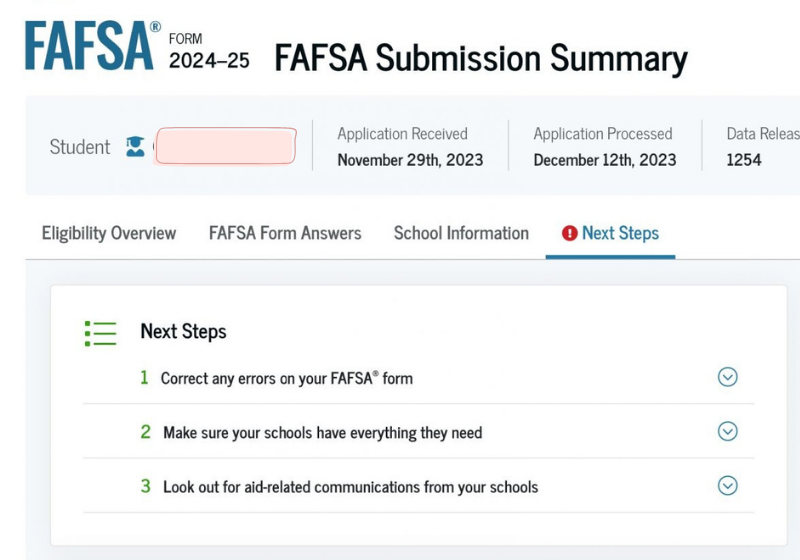
The old 10‑page Student Aid Report (SAR) is officially retired. Starting with the 2026–27 FAFSA, you’ll get a FAFSA Submission Summary (FSS) instead — a streamlined, interactive dashboard that acts as your financial aid receipt.
If you filed online, your FAFSA 2026 Submission Summary should show up in your StudentAid.gov account within 1–3 business days. If you filed on paper, processing is slower this year; expect roughly 3–4 weeks for your summary to arrive by mail.
When that email hits your inbox, don’t just archive it. Log in to StudentAid.gov and go to the “My Activity” section to check your FAFSA status — this is where problems show up before your colleges ever see them.
Decoding “FAFSA status indicators”
Your data was successful and sent to your colleges. No further action needed! ✅
Your FAFSA is received but still undergoing routine checks. This is normal — give it ~48 hours. ⏳
Your FAFSA is on hold. Usually a missing signature or IRS consent. Fix this immediately to meet deadlines. ⚠️
The 4 Tabs of the FSS (And One Secret)
Shows your Student Aid Index (SAI). Note: If your FSS Eligibility tab shows your SAI as ‘Indeterminate,’ that’s a clue you have an unresolved Red Light issue (likely a missing signature or consent) that must be fixed before aid is calculated.
A complete summary of the data you provided. Review this for typos in your name, SSN, or email address.
If you used the IRS Data Exchange, your income fields won’t show numbers—they’ll just say “Transferred from the IRS.” This is a privacy feature, not a glitch! Do not try to edit these figures.
Lists graduation and retention rates for your colleges. This helps you gauge the long-term “value” of your potential schools before you commit.
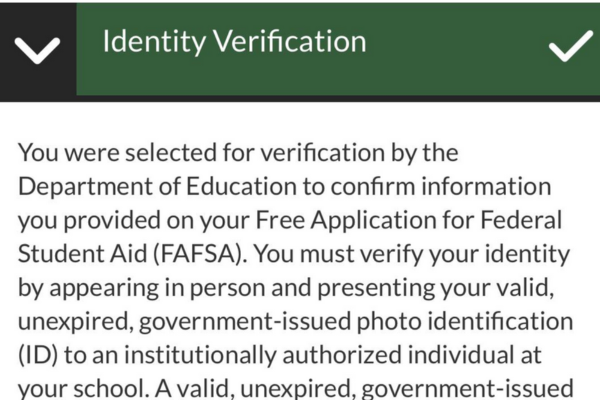
Indicates if you’ve been selected for Verification or if you need to provide extra documentation to a college financial aid office.
2.) Decoding the SAI (Student Aid Index) in 2026
The most important number on your summary is your Student Aid Index (SAI). Think of the SAI as your “Financial Rank.” Many families panic when they see this number, assuming it is the exact dollar amount they must pay. It is not. The lower the number, the higher your demonstrated need, and thus the more “Free Money” (Grants) you qualify for.
This metric has completely replaced the old Expected Family Contribution (EFC), and in 2026, it is more “middle-class friendly” than ever due to new asset exclusions, potentially lowering many families SAI.
| SAI Range | Need Level & Verdict | What You Likely Qualify For |
|---|---|---|
|
Negative SAI (-1500 to 0) |
Maximum Federal Need. You rank at the very top of need. | Maximum Pell Grant (around $7,395 for 2026–27) and likely highest institutional grants (many colleges auto-package extra aid at -1500 SAI). |
|
“Pell Zone” (0 to ~14,790) |
High to Moderate Need. You’re within roughly 2× the max Pell range. | Partial Pell Grant (thanks to the new “2× Pell” rule). Tip: Even a small Pell Grant can unlock state grants worth thousands more. |
|
High SAI (> 15,000) |
Low Federal Need. (You have more ability to pay per FAFSA.) | Probably no federal grants. But you’re still eligible for federal loans. Next Move: Focus on merit aid (scholarships) from colleges/departments since need-based aid is limited. |
⚠️ The “Prior-Prior” Trap (Critical Update)
For the 2026–27 school year, the FAFSA uses 2024 Tax Data. This is critical: if your family had a strong year in 2024 but your income dropped in 2025 or 2026 (due to job loss, medical bills, or a business closing), your SAI will be artificially high.
You cannot change 2024 numbers on the form. Submit it as-is, wait for it to be “Processed,” and then immediately contact your college’s financial aid office for a “Professional Judgment Review” (PJR). In 2026, schools have more discretion than ever to adjust your SAI if you can prove your “2024 reality” no longer exists.